How I run my agents from my phone
Every agent gets its own chat, its own alerts, its own pages and its own clones. Here is what a normal day in Agentgram looks like.
In an earlier post I said I built my agents a phone. This is what living with it looks like.
Agentgram is a chat app for my agents. A small relay on my Mac runs each agent as a Claude Code session and streams the replies to the phone. The app is a native SwiftUI client, and the relay is the only thing it talks to.
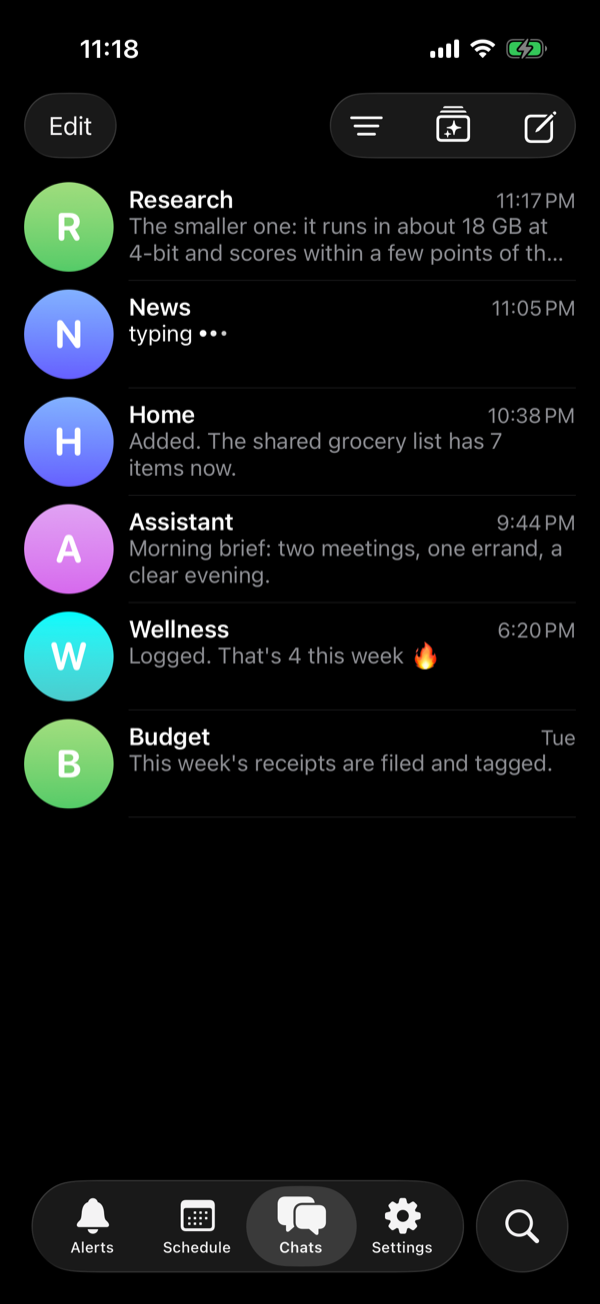
Every agent has its own chat. The research agent, the finance agent and the one that watches the house are separate conversations with separate histories. Replies stream in. I can send a photo, a file or a voice note, and voice notes come back with a transcript. Since each agent keeps its own thread, I do not have to remember which window held which context.
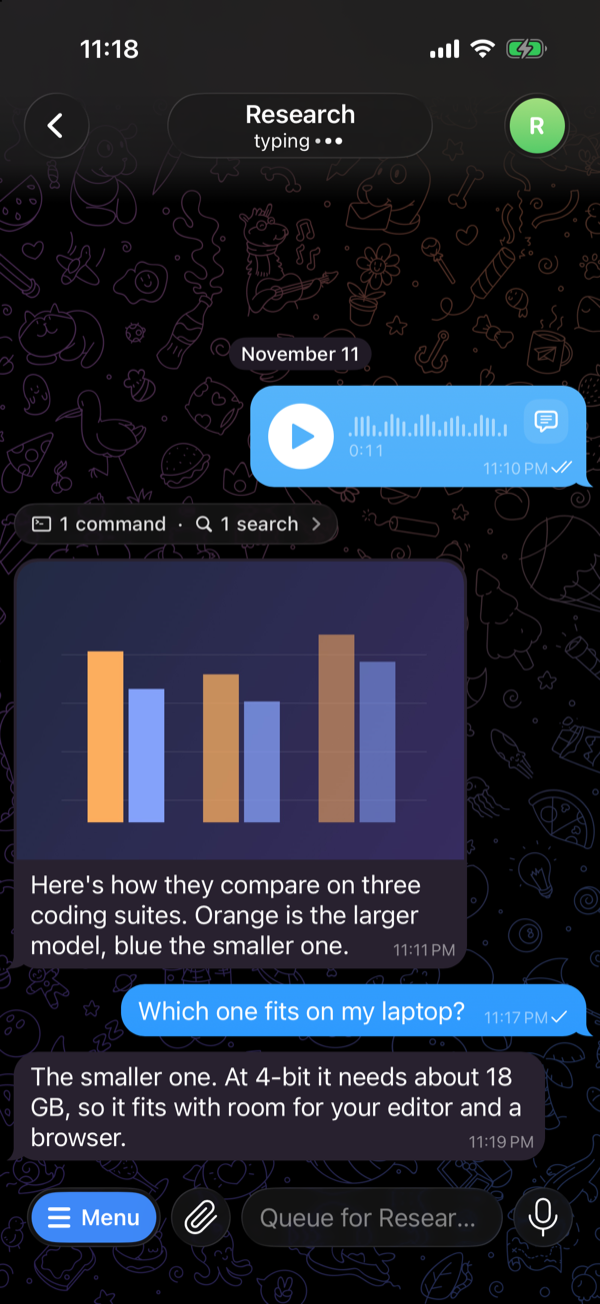
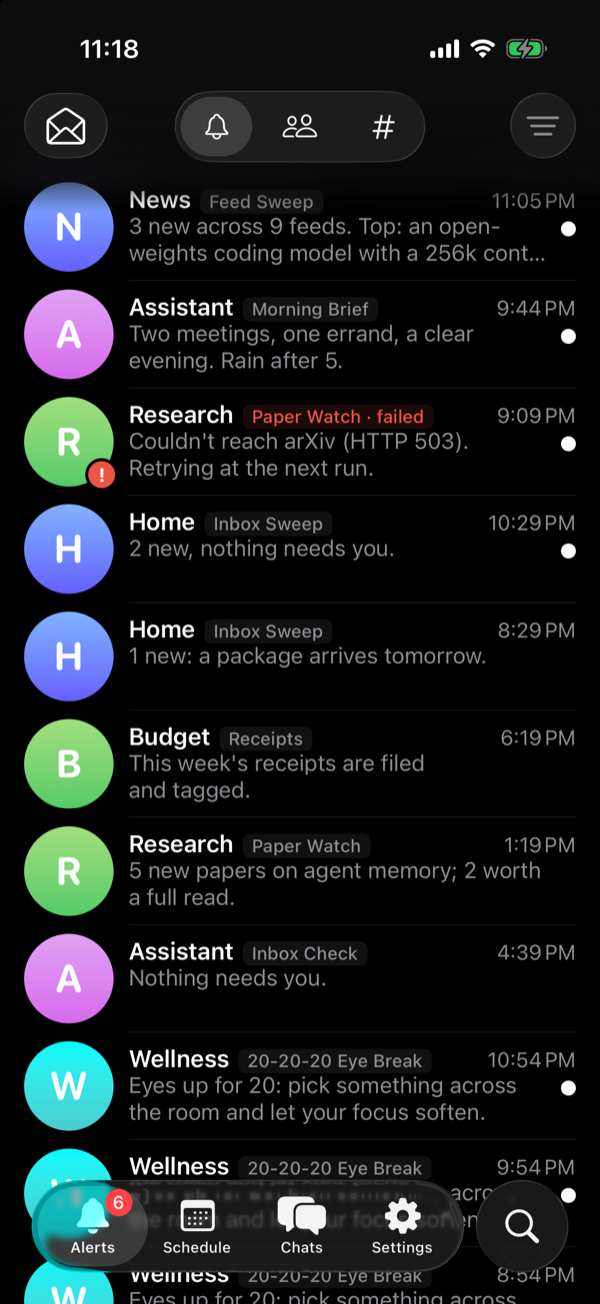
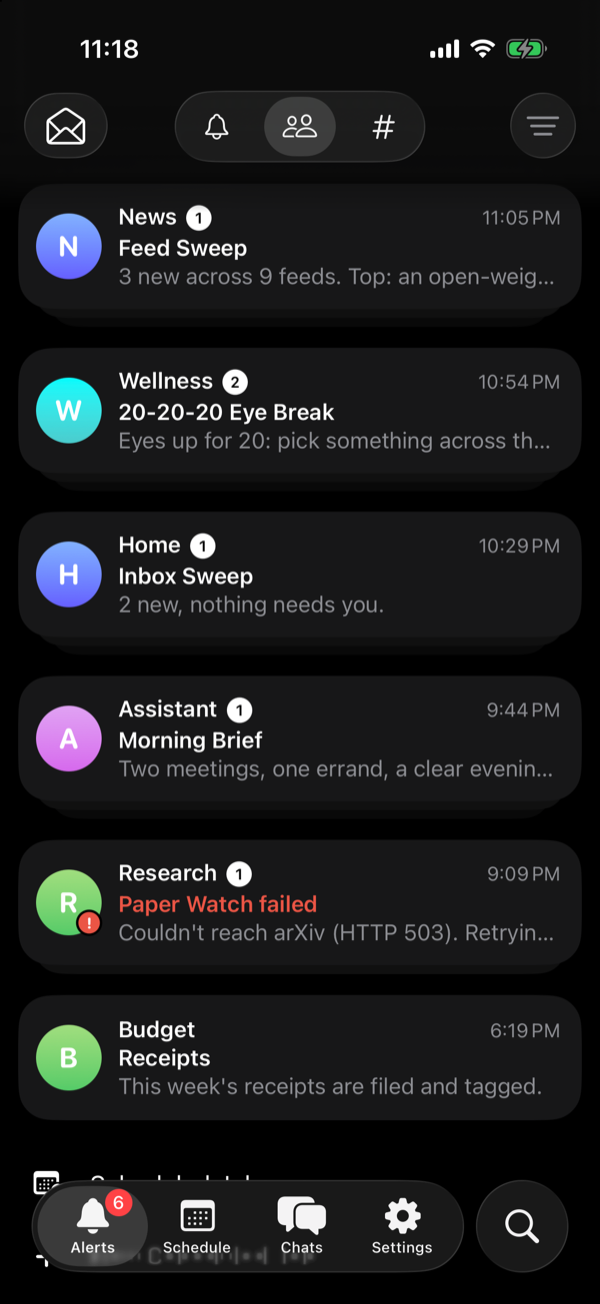
Agents also work on schedules while I am away. When a job finishes, fails or needs me, it lands in the Alerts tab. I can read alerts as one feed or as a list of agents with unread counts, and a failed job shows up in red. Tapping an agent shows its jobs, and I can mute one noisy job without silencing the rest. Slack gets its own lane there, with the messages that need a reply.
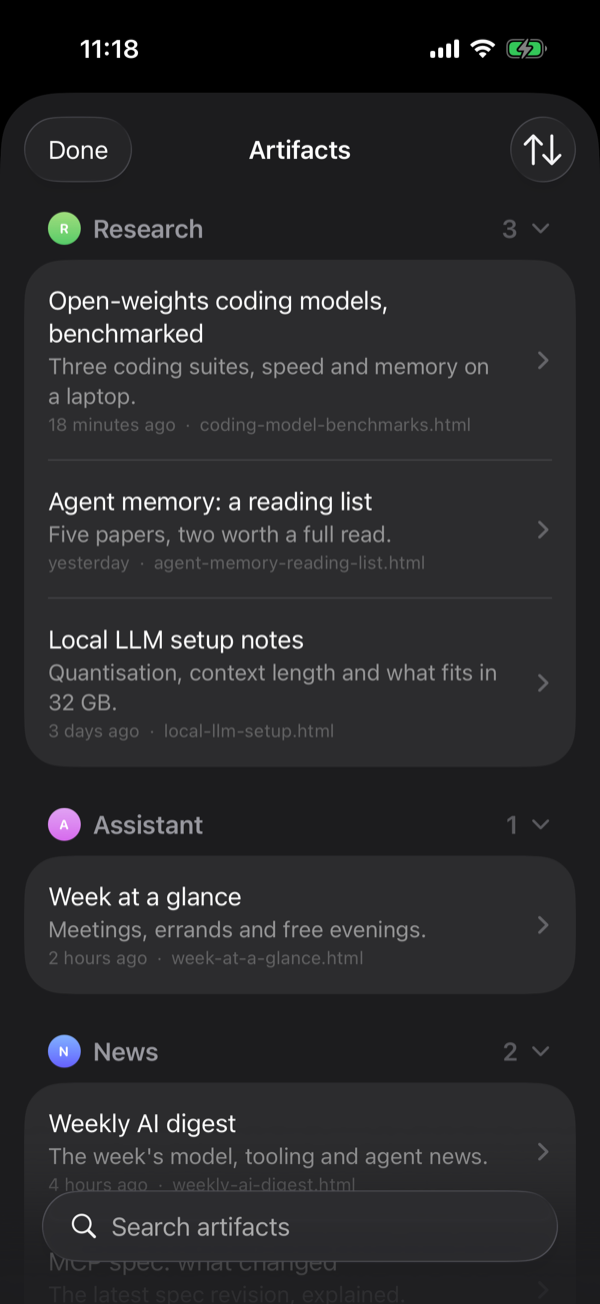
Agents write things down as HTML pages: a report, a comparison, a dashboard. Those pages used to sit in folders on the Mac. Now every agent’s pages are listed on the phone, grouped by agent and searchable. I can read one, copy it out, or hand it to another agent.
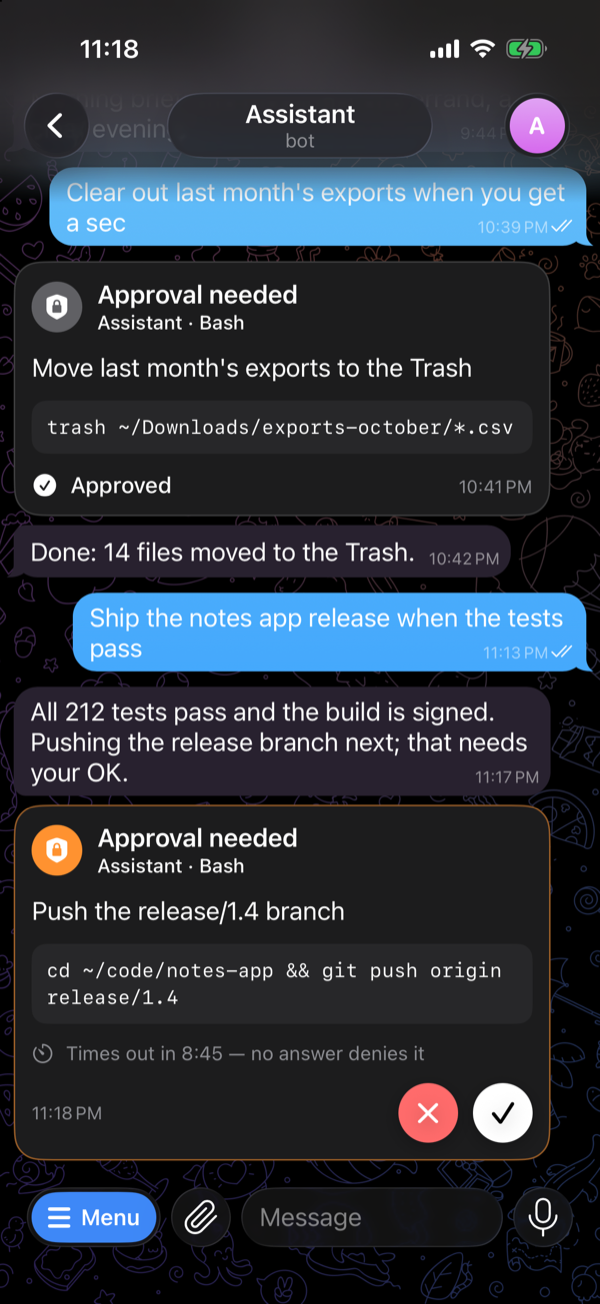
An agent can also be set to pause before a risky action. A card appears in its chat with Approve and Deny. If I do not answer within ten minutes, it counts as a Deny. I only turn this on for the agents that need it.
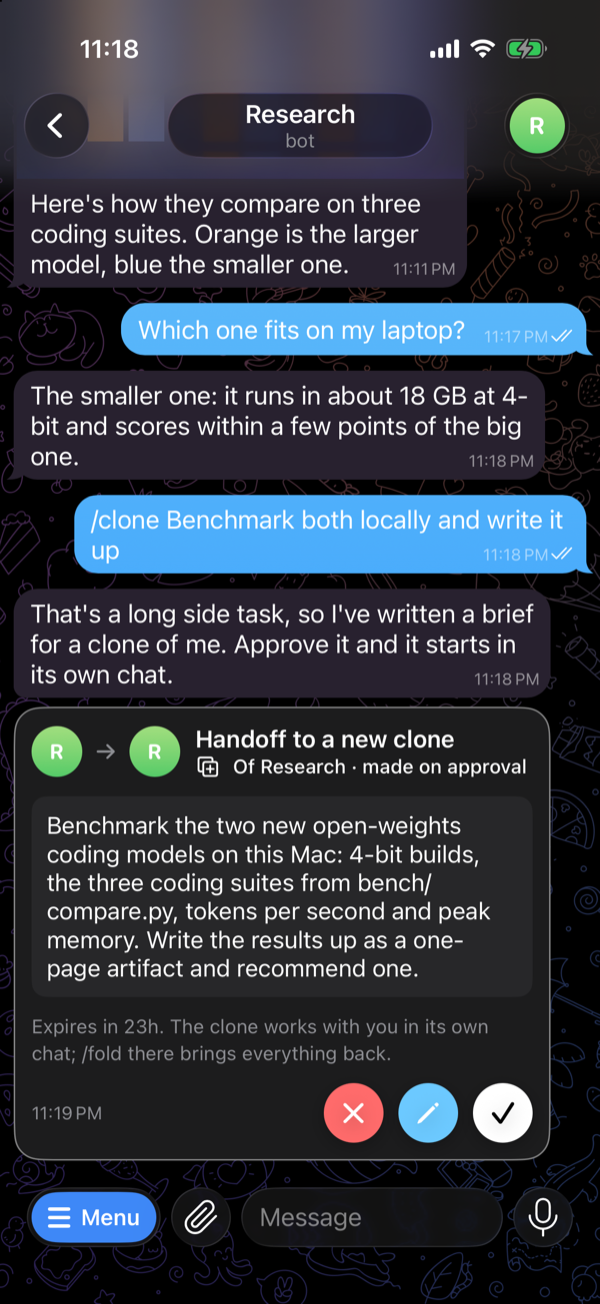
Agents can start sub-agents, and the app shows those on their own instead of burying them under the parent. The feature I use most is the clone. When a side task comes up in the middle of a conversation, I type /clone with the task. The brief waits on an approval card, and when I approve it the agent is cloned and the brief becomes the clone’s first message. The clone works in its own chat. When it is done, /fold brings the result back.
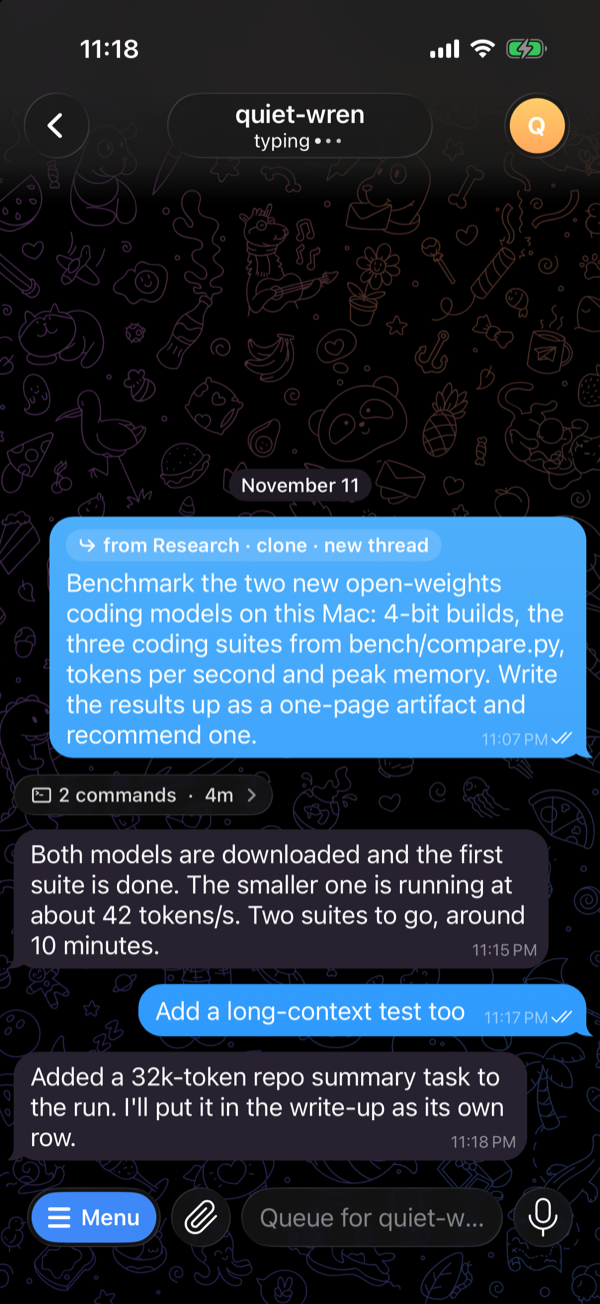
Before this I did one thing at a time with an agent and waited for it. Now I start a task, clone for the next one, and check the alerts when something finishes. Several tasks move at once, each in its own chat.
It is a client for one person, and it needs a token to talk to the relay. It is not a product. But the agents come to me, in a shape I already know how to use.
The screenshots use mock data.